
Доброго времени суток! В данном примере я покажу Вам как просто можно добавить темную тему на сайте в Bootstrap 5 . Для этого мы будем использовать немного JavaScript-кода , с помощью которого мы будем переключать тему и сохранять ее как настройки в локальном хранилище браузера , чтобы при следующем посещении сайта,...
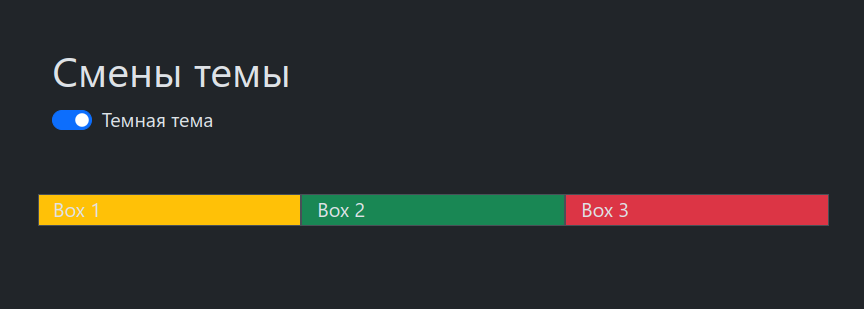
Доброго времени суток! В данном примере я покажу Вам как просто можно добавить темную тему на сайте в Bootstrap 5. Для этого мы будем использовать немного JavaScript-кода, с помощью которого мы будем переключать тему и сохранять ее как настройки в локальном хранилище браузера , чтобы при следующем посещении сайта, у пользователя была бы установлена та тема, которую он выбрал ранее.
Итак, вот код:
<!DOCTYPE html>

<html lang="en">

  <head>

    <meta charset="utf-8" />

    <meta name="viewport" content="width=device-width, initial-scale=1" />

    <title>Bootstrap темная тема</title>

    <link

      href="https://cdn.jsdelivr.net/npm/bootstrap@5.3.2/dist/css/bootstrap.min.css"

      rel="stylesheet"

      integrity="sha384-T3c6CoIi6uLrA9TneNEoa7RxnatzjcDSCmG1MXxSR1GAsXEV/Dwwykc2MPK8M2HN"

      crossorigin="anonymous"

    />


  </head>

  <body>

    <div class="container mt-5">

        <h1>Cмены темы</h1>

        <div class="form-check form-switch">

            <input class="form-check-input" type="checkbox" id="darkSwitch">

            <label class="form-check-label" for="darkSwitch">Темная тема</label>

        </div>

    </div>


    <div class="container mt-5">

      <div class="row">

        <div class="col-md-4 border bg-warning">Box 1</div>

        <div class="col-md-4 border bg-success">Box 2</div>

        <div class="col-md-4 border bg-danger">Box 3</div>

      </div>

    </div>


    <script

      src="https://cdn.jsdelivr.net/npm/bootstrap@5.3.2/dist/js/bootstrap.bundle.min.js"

      integrity="sha384-C6RzsynM9kWDrMNeT87bh95OGNyZPhcTNXj1NW7RuBCsyN/o0jlpcV8Qyq46cDfL"

      crossorigin="anonymous"

    ></script>

    <script>

          document.addEventListener('DOMContentLoaded', function () {

          const darkSwitch = document.getElementById('darkSwitch');

          const currentTheme = localStorage.getItem('theme');


          if (currentTheme) {

              document.documentElement.setAttribute('data-bs-theme', currentTheme);


              if (currentTheme === 'dark') {

                  darkSwitch.checked = true;

              }

          }


          // меняем тему

          darkSwitch.addEventListener('change', function () {

              if (darkSwitch.checked) {

                  document.documentElement.setAttribute('data-bs-theme', 'dark');

                  localStorage.setItem('theme', 'dark');

              } else {

                  document.documentElement.setAttribute('data-bs-theme', 'light');

                  localStorage.setItem('theme', 'light');

              }

          });

      });

    </script>

  </body>

</html>
В примере выше мы используем атрибут data-bs-theme для применения стилей в зависимости от выбранной темы. При изменении темы также обновляется значение атрибута data-bs-theme у body.